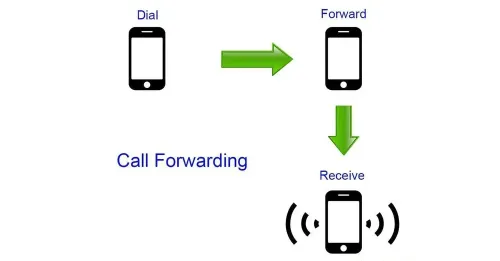
Call Forwarding is very useful for people who have two phones
Here is a drafted blog post based on your information, organized with clear headings and a reader-friendly format.
Never Miss an Important Call Again: The Ultimate Guide to Call Forwarding
We’ve all been there: you accidentally left your phone at home, the battery died right before an important business call, or you are temporarily out of a coverage area. Missing a crucial call can be stressful, but there is a built-in smartphone feature designed to save the day—Call Forwarding.
Setting up call forwarding ensures that when your primary phone is out of commission, your incoming calls are seamlessly transferred to another number. Best of all, setting this up is generally completely free, meaning you can protect your business and personal communications without extra charges.
Here is a breakdown of how it works across different devices and how you can set it up today.
The Four Call Forwarding Modes on Android
Android devices give you a lot of flexibility when it comes to call forwarding. Depending on your needs, you can choose from four distinct modes:
Always Forward: If you select this option, all incoming calls will be instantly redirected to your designated second number. Your primary phone won't even ring. This is perfect for when you intentionally leave your phone behind.
When Busy: If you are already on a call or your phone is occupied, this mode will automatically transfer any new incoming calls to your backup number.
When Unanswered: Can’t get to the phone in time? Instead of sending the caller straight to voicemail, this setting waits for a few rings and then forwards the call to your other device so you don't miss it.
When Unreachable: If your phone is turned off, out of battery, or in an area with no signal, this mode acts as your safety net, immediately pushing the call to your alternate phone.
Carrier Rules: What You Need to Know
While the phone hardware supports these features, your network operator plays a role in how they function.
For example, if you use MPT, you can only forward calls to another MPT number. However, if you use one of the other three major telecom operators, you have more freedom and can forward your calls to different operators without any issues.
The iPhone Dilemma (and a Clever Hack)
Unlike Android, the iPhone's native settings are a bit limited. By default, iOS only offers the Always Forward option. But what if you want to use the conditional forwarding features like "When Unanswered" or "When Unreachable" on your iPhone?
The SIM Card Hack:
Because conditional call forwarding is actually a carrier-level setting saved to your SIM card, you can bypass the iPhone's limitations with a simple trick:
- 1. Temporarily remove the SIM card from your iPhone.
- 2. Insert that SIM card into an Android device.
- 3. Set up your desired forwarding rules (like "When Unreachable") using the Android settings.
- 4. Remove the SIM from the Android phone and put it back into your iPhone.
Your iPhone will now retain those conditional forwarding rules, and you can continue to use it normally!
How to Set It Up
Ready to ensure you never miss a call? Here is where to find the settings on your device:
For Android Users
1. Open your Phone / Dialer app.
2. Tap the menu icon (usually three dots in the top corner) and select Settings or Call Settings.
3. Tap on Call Forwarding.
4. Choose your preferred mode, enter the backup phone number, and hit save.
For iPhone Users
1. Open your device Settings.
2. Scroll down and tap on Phone.
3. Tap on Call Forwarding.
4. Toggle the switch to turn it on, and enter the number you want your calls forwarded to.