Protect your data: Important things to do before your phone is lost
We carry our entire lives in our pockets. From banking apps and private conversations to irreplaceable family photos and work emails, our smartphones are the digital vaults of our modern existence. Yet, most people only think about phone security after their device slips between the cushions of a taxi seat or gets snatched in a crowded market.
Taking twenty minutes today to configure your device can mean the difference between a minor financial inconvenience and a catastrophic identity theft crisis. If you want to secure your digital life, make sure you complete this essential checklist before your phone disappears.
1. Master Your Tracking Tools
Both Apple and Google have built-in tracking ecosystems that are incredibly powerful, but they only work if you turn them on in advance.
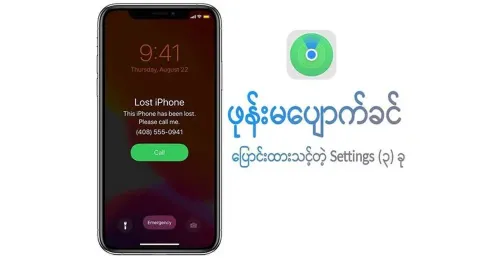
For iOS: Go to your settings, tap your Apple ID, and ensure Find My iPhone is enabled. Crucially, turn on Find My Network (which helps locate your phone even if it is offline or powered down) and Send Last Location (which pings Apple’s servers right before the battery dies).
For Android: Navigate to Settings, Google, and select Find My Device. Make sure the toggle is active.
Test these services tonight. Log into iCloud.com/find or google.com/android/find on a laptop to ensure your device actively shows up on the map.
2. Lock the Front Door (And the SIM Card)
A simple four-digit passcode is no longer enough. Upgrade to a secure six-digit PIN, a complex password, or robust biometric authentication (FaceID/Fingerprint). Furthermore, ensure your lock screen notifications are set to "Hide Sensitive Content." If a thief requests a password reset for your bank account, they shouldn't be able to read the verification SMS code directly from your locked screen.
The second, often overlooked vulnerability is your physical SIM card. If a thief pops your SIM card out and puts it into another phone, they can intercept your text messages and hijack your accounts via two-factor authentication (2FA). Go to your cellular settings and set up a SIM PIN. This locks your cellular data and texting capabilities behind a passcode every time the phone restarts or the SIM is swapped.
3. Implement the Golden Rule: Cloud Backups
Losing a thousand-dollar piece of hardware hurts, but losing five years of photos, voice notes, and project files hurts worse. Set up automatic daily backups to iCloud, Google One, or Microsoft OneDrive. Ensure these backups are scheduled to run over Wi-Fi while you sleep so your cloud data is never more than 24 hours behind reality.
The Ultimate Safety Net: Remote Wipe Familiarize yourself with the "Erase Device" command on your tracking dashboard. If your phone is permanently gone, executing a remote wipe will completely format the storage the next time it connects to a network, ensuring your private data never falls into the wrong hands.
Taking these proactive steps ensures that if the worst happens, your hardware might be gone, but your identity, privacy, and memories remain entirely yours. Don't wait until you are staring at an empty pocket—secure your device today.


